Switching to PootlrHost, without losing a booking.
Most sites switch in the off-season, with next year’s diary already filling up. Here’s how those bookings come across, and how to get everything ready before a single guest sees it.
-
01
Set up as a draft
Add your pitches, prices and booking rules, build your website and preview it. Nothing is public and no guest can book until you choose Go live. A getting-started list on Today shows what’s left to do.
-
02
Bring your bookings across
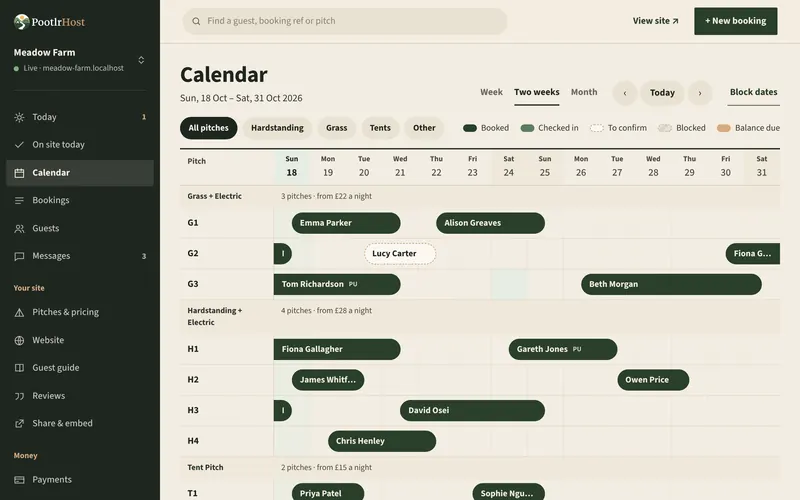
Download our CSV template, or use the export from your old system as it is. PootlrHost matches the column headings it recognises, lets you change any it got wrong, and shows you every row before anything goes in. Rows it can’t place are flagged for you to fix or skip.
-
03
Bring your regulars too
Import the guests who’ve stayed before, with how many times they’ve been, so PootlrHost knows your regulars from day one.
-
04
Link your other booking sites
Connect Pitchup with your API key. Link Hipcamp, Airbnb, Booking.com, Campsites.co.uk, Glampsites, Canopy & Stars or any site with an iCal link, pitch by pitch, so their bookings land in your calendar and your availability goes out to them.
-
05
Go live and switch over
When you’re happy, go live. Then point your own domain at PootlrHost, or swap the booking button on your current website for a PootlrHost booking widget.
Wherever your diary is now.
- Another booking system
- Export your bookings as a CSV file (most systems call it an export or a report) and upload it as it is.
- A spreadsheet
- Save it as a CSV with one booking on each row and the headings on the first row.
- A paper diary
- Type the bookings into our template, or add them one at a time in the calendar. Either way they’re free.
Questions about moving.
Anything else, get in touch and we’ll help.
No, not unless you choose to send them confirmations when you import.
No. Like bookings you add yourself, imported bookings carry no booking fee, and no card is ever charged for them.
Each booking keeps the reference from your old system, so uploading the file again won’t double them up. You can also undo an import.
Yes. Your PootlrHost site stays a draft until you go live, so you can set it up and import your bookings, then switch over on a quiet day.
Yes. Email [email protected] and tell us where your bookings are now, and we’ll help you plan the move.

Set up now, go live when you’re ready.
Set up in about ten minutes, then take your time. Free to sign up. We ask for a card for the £1 booking fees, and nothing is charged until a guest books online.
Start free