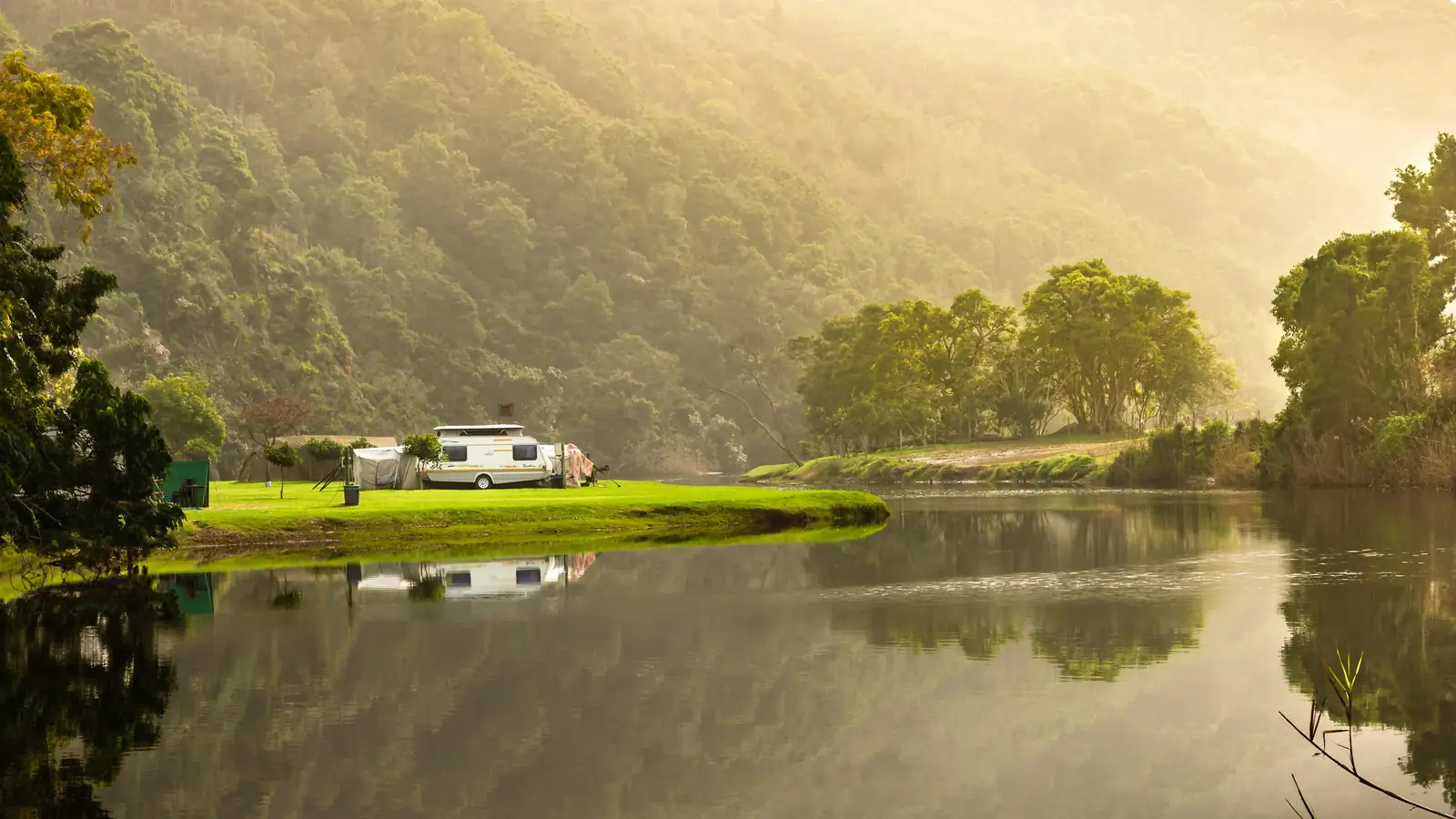
Choose your pitch on a map: Let guests pick their pitch on the map.
Draw your field once, on a satellite photo of your site or on your own site plan. When guests book, they can choose their pitch on your site map, and it’s theirs if it’s still free. It’s marked on the map in their stay page, so they find it when they arrive.
How it works.
Included on every plan. Switch it on in Settings when you want it.
Draw it once
In your dashboard, draw each pitch on a satellite photo of your site, with your toilets, showers and water points too.
Or use your own site plan
Got a drawn plan of your site, like the one in your welcome pack? Upload it and place your pitches on that instead. Guests see your drawing.
Guests choose
Once they’ve picked their dates, guests can open your site map and tap the pitch they’d like. Pitches already booked are marked, and the booking goes on the pitch they chose.
The map is optional
Choosing on the map is never a step guests have to take. Those who skip it book the pitch type as usual.
Marked on their stay page
The site map in their stay page shows their pitch, so they can find it when they arrive.
Your plan, their pick.
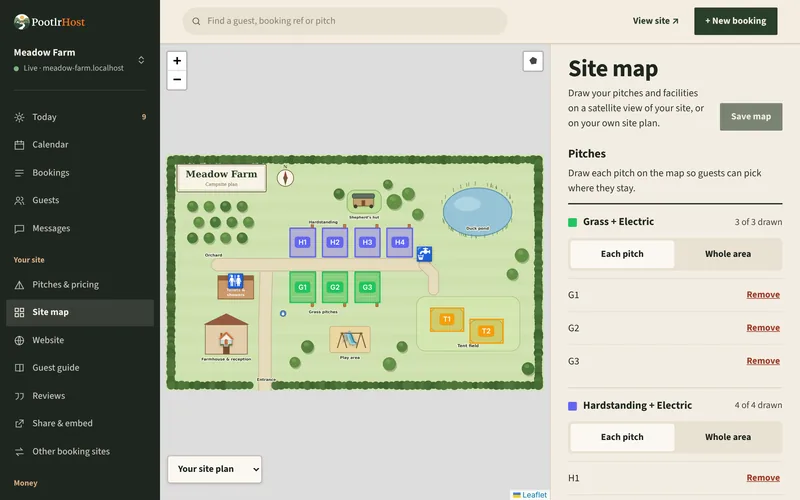
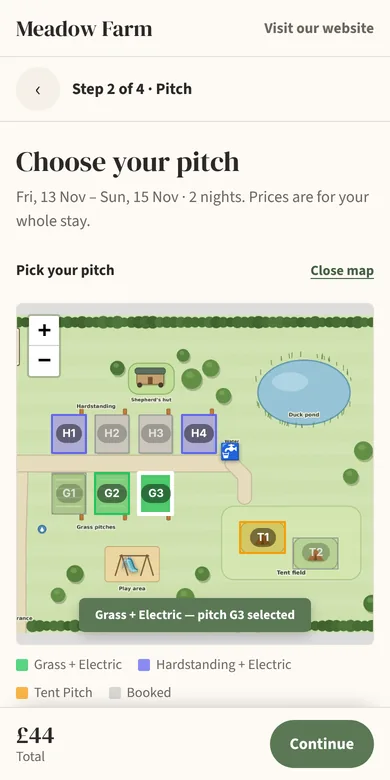
Meadow Farm, the demo campsite: its plan in Site map, and a guest choosing G3 on their phone.
From the map to their pitch.
What happens to a guest’s choice, step by step.
You draw the field
In your dashboard, draw each pitch on a satellite photo of your site, or on your own site plan, and link it to the pitch it is.
The guest picks
They choose their dates and pitch type, open the map and tap a pitch that’s free. Booked pitches are marked.
It’s theirs
The booking goes on the pitch they tapped, as long as it’s still free when they book.
If it’s just gone
If another guest took it a moment before, the booking waits on your calendar for you to place, with their choice noted. You can move anyone to another pitch later, too.
They find it
Their stay page shows the site map with their pitch marked.
Questions about pick your pitch.
Anything else, get in touch and we’ll help.
Site map is a feature you switch on in Settings. It’s included on every plan.
Yes. Move them on the calendar, and their stay page shows the new pitch.
Pitches not on the map can still be booked from the list.
Yes. Upload a picture of it, a JPEG, PNG or WebP, and draw your pitches on it instead of the satellite photo. Guests see your drawing when they choose, and their pitch picked out on it on their stay page.
The first to book gets it. If someone takes it a moment before, the other booking still goes through and waits on your calendar for you to place, with their choice noted on it.
Setting it up, step by step: Your site map, in our help centre.
Part of everything PootlrHost does for a small campsite. See every feature.
Try it on your own site.
Set up your pitches, switch it on, and see it on your website before anyone books.
Start free